If you’ve been deep into solar tech and smart home gear lately, you’ve probably wondered: Can a solar inverter (y’know, the heart of your whole rooftop solar setup) actually work with your smart home system? Spoiler: The short answer is yes — and as someone who’s been supplying solar inverters for years, I’ve seen this combo make way more sense than just sticking to old-school, separate gear. Let’s break this down like we’re chatting over a coffee, no jargon overload, promise. Solar Inverter
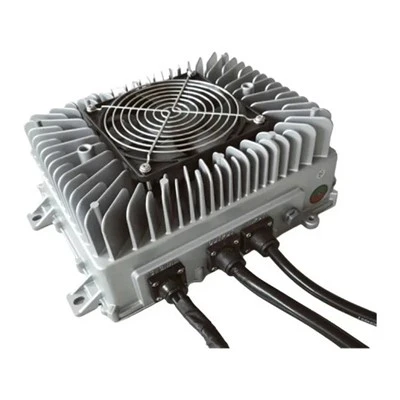
First, let’s get super clear on the two parts here, because if you mix up what each does, the whole thing gets wonky. A solar inverter’s main job? Turn the direct current (DC) your panels crank out into alternating current (AC) that every home appliance uses — that’s the non-negotiable basic function. But modern inverters don’t stop there. The ones we supply, for example, have built-in Wi-Fi, Bluetooth, and protocol compatibility that lets them talk to smart home hubs. Then smart home systems — think Alexa, Google Home, Apple HomeKit, or a hub like Samsung SmartThings — are the command centers: they let you control lights, thermostats, security cameras, and now, your energy flow all from one app.
Wait, why does connecting them matter anyway? Let’s use a real example I hear all the time from customers. Last month, a customer called up saying his inverter was cranking extra solar power on a sunny Saturday, but his smart AC was still running full blast. If his inverter was linked to his smart home, the system would’ve automatically dialed back the AC (or switched it to solar-only mode) instead of wasting power he didn’t need — and saved him money on the grid. No more guessing how much solar you’re using, exporting, or wasting.
But let’s get into the practical stuff, because it’s not just “plug and play” — there are a few things to check before you jump in. First, inverter compatibility. Back in the day, most inverters were clunky, no-network stuff that couldn’t connect to anything. Now, every mid-tier to premium inverter (the ones we supply) works with at least one major smart home protocol. Common ones are MQTT (super popular for energy devices), Zigbee, or Wi-Fi direct. If your inverter is older — like pre-2018 — it might only have a basic Ethernet port, so you might need an adapter to link it to your hub. That’s a quick, cheap fix, not a big deal.
Next, your smart home hub’s capabilities. Some hubs are designed for general home devices, not energy stuff, so you need to make sure it can pull energy data. For example, Google Home can show you your solar production in the Google Home app now, but it depends on the inverter sending that data. Apple HomeKit has a few energy integrations, but it’s still a bit niche compared to Google or Alexa. We always tell customers: if you’re building a smart home from scratch, pick a hub that lists solar inverter compatibility in its specs — saves you headaches later.
Then, the big perks that make this worth it. Let’s list the ones I hear about most from clients:
- Real-time energy tracking, all in one app. Instead of checking two apps (one for your inverter, one for your smart home), you can see “My solar panels made 5kWh today, I used 3.2kWh in the house, exported 1.8kWh to the grid” right in your smart home app. That’s way easier for people who aren’t energy nerds.
- Automated energy use. For example, if your smart thermostat knows you’re home and it’s 82 degrees outside, it can tell your inverter to divert extra solar power to the AC first, instead of sending it to the grid for half the rate you pay for it. Last quarter, a customer told me his electric bill dropped $45 a month just from that one setting.
- Backup power coordination. If you have a solar battery (like a Tesla Powerwall or LG Chem), linking it to your smart home means when the power goes out, the system automatically switches to battery power and turns off non-essential devices (like the game console) to keep your fridge and lights running. That’s way more reliable than manual switches.
- Voice control. Yell at Alexa: “How much solar did we make today?” and she’ll pull the data straight from your inverter, no extra steps. That’s a small thing, but it’s way cooler than having to open two apps.
But wait, there are some common pitfalls, right? I don’t want you to get excited and make a mistake. First, don’t force an older inverter to work with a smart home system if it doesn’t support it. We’ve had a few customers try to rig a 10-year-old inverter with a random adapter, and it ended up dropping data or causing connection issues. If your inverter is pre-2015, it might not have the processing power to send real-time data, so it’s not worth the hassle — just upgrade to a modern inverter that’s built for smart home connectivity.
Second, security. Yeah, I know — everyone worries about smart devices getting hacked. But modern inverters have way better security now than they used to. The ones we supply use end-to-end encryption for data sent to the cloud, same as your smart speaker. Just make sure you keep your inverter’s firmware updated, same as you would for your phone or smart TV. That’s a quick setting in the app, takes 2 minutes.
Another thing: grid export settings. Some utility companies have rules about how much solar you can export to the grid, so when you link your inverter to your smart home, don’t just set it to “export all” — your system can be programmed to cap exports at the amount your utility allows, which avoids any fines. That’s a feature we build into every inverter we sell, so you don’t have to deal with utility headaches.
Let’s talk about a specific use case that’s blowing up right now: time-of-use (TOU) pricing. A lot of utilities charge way more for electricity during peak hours (like 4-9 PM) and less at night or midday. If your inverter is linked to your smart home, the system can store extra solar power in your battery during the day, then use that power during peak hours instead of buying grid electricity. We worked with a family in Phoenix last summer who did this, and their bill went from $180 a month to $65 — that’s not a typo. The inverter handles the timing automatically, you don’t have to remember to switch anything on.
What if you’re renting, or you don’t have rooftop panels yet? Wait, can you even use a smart-enabled inverter if you’re planning to install solar soon? Absolutely. A lot of our customers are building a home from scratch, so they pick a smart inverter first, then add panels later. The compatibility works either way — just make sure when you’re ready to install panels, the inverter is sized for the number of panels you have.
Now, let’s get real about the cost. A lot of people think adding smart functionality means shelling out extra cash, but that’s not true. The inverters we supply with smart home compatibility are only $100-$200 more than basic inverters, and the energy savings usually pay that back in 6-12 months. Plus, you don’t have to buy a whole new smart home system to make this work — if you already have an Alexa or Google Home, you just connect the inverter to it, no extra hub needed.
Wait, I should also clear up a myth here: some people think solar inverters are only for big homes, but no. We supply inverters for small single-family homes, townhouses, even tiny homes. The smart connectivity works the same, no matter the size. If you have a 3-panel setup for a tiny home, you can get a small smart inverter, link it to your phone’s Wi-Fi, and track your energy right from your smart home app.
So, how do you set this up, anyway? It’s way simpler than it sounds. If you’re buying an inverter from us, we send step-by-step instructions that take less than 10 minutes. Here’s a quick walkthrough:
- Download the inverter’s app (it usually connects to Wi-Fi or Bluetooth during installation)
- Open your smart home app (Alexa, Google, whatever you use)
- Search for “solar inverter” in the device list, pick our model, and enter the pairing code from the inverter manual
- Wait 2 minutes, and it’s connected. That’s it. No special tools, no electrician extra steps (though we always recommend hiring a licensed electrician for installation, of course).
Now, are there any limits? Let’s say you have a really custom smart home setup — like a home automation system that controls every window shade and irrigation system. Can the inverter talk to that? Yeah, as long as your home system uses a common protocol like MQTT or Modbus, which most premium systems do. We work with a lot of home automation companies to make sure our inverters are compatible with their gear, so that’s not a problem.
I’ve been in the solar inverter business for 8 years, and the biggest shift I’ve seen is from people seeing solar as a “set it and forget it” power source to something that integrates into their daily life. Your inverter isn’t just a box on the roof anymore — it’s part of your smart home, helping you save money, reduce waste, and make your home work for you instead of against you.
If you’re thinking about upgrading your inverter, or you’re planning to install solar and want a smart-enabled one that works with your existing smart home gear, we can help. We test every inverter for smart home compatibility, so you don’t have to guess if it’ll work with your system. We’ve worked with thousands of homeowners, builders, and electricians to set this up, so we know exactly the questions you’ll have — no sales jargon, just straight answers.
Wait, before we wrap up, let’s address one more common question: what if the power goes out? Can the smart inverter still work? Yep, as long as you have a hybrid inverter (the ones we supply are hybrid, which can connect to batteries) or a grid-tie inverter with battery backup. When the power goes out, the inverter automatically switches to off-grid mode, sends data to your smart hub, and the system can alert you right away. Some customers even get a text or Alexa notification that the power is out, so they know to grab flashlights without checking the grid.
This isn’t some futuristic tech — it’s here right now, and it’s only getting better. Next year, we’re launching inverters that can not only talk to your smart home but also predict your energy use, so it adjusts the solar and battery settings even before you get home. That’s the kind of convenience that makes the smart home combo worth it.
So, to circle back: Can a solar inverter be used with a smart home system? Absolutely — if you pick the right inverter, check compatibility with your hub, and make sure you’re following basic setup rules. The energy savings, convenience, and control are totally worth it, and it’s way easier than most people think.
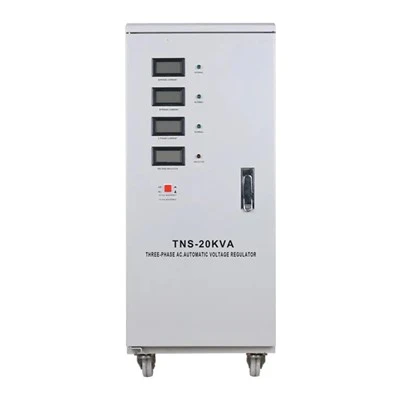
If you’re ready to explore options, or you have questions about which inverter works with your smart home gear, feel free to reach out to our team to discuss your needs. We’d love to help you set up a system that works for your home, not against it.
Marine Battery Charger References
- International Electrotechnical Commission (IEC) 61683: Photovoltaic systems — Power conditioners — Procedure for performance testing
- U.S. Department of Energy (DOE): Smart Grid Interoperability Standards for Residential Energy Management
- Consumer Technology Association (CTA): Smart Home Device Compatibility Report, 2024
- Solar Energy Industries Association (SEIA): Hybrid Inverter Market Analysis 2023
Huizhou Qiangfeng Power Technology Co., Ltd.
Huizhou Qiangfeng Power Technology Co., Ltd. is one of the most professional solar inverter manufacturers and suppliers in China, featured by quality products and good service. We warmly welcome you to buy customized solar inverter made in China here from our factory. If you have any enquiry about quotation and free sample, please feel free to email us.
Address: No. 28, Hu’ao Avenue, Shiwan Town, Boluo County, Huizhou City, Guangdong Province
E-mail: Komco@Jinlidianqi.cn
WebSite: https://www.autobatterychargers.com/
